
Spinstralia Mobile App Guide

Spinstralia is built to play directly inside any modern mobile browser, with no app to download from the App Store or Google Play. The full site adapts to phone and tablet screens, runs every pokie and live dealer table available on desktop, and saves storage space that would otherwise go to an installer. iPhone and Android users can pin the site to their home screen for a one-tap launcher that looks and feels like a native app. This page walks through setup on each platform and covers what to expect from mobile play.
How Spinstralia Works on Mobile
Spinstralia uses a responsive web design rather than a downloadable app. The layout, navigation and game grid reshape themselves to fit phone screens, while behind the scenes the same site code that powers desktop play handles every spin, deposit and live table on mobile. The choice is deliberate: a browser-based casino doesn't compete for storage on the device, doesn't queue up update downloads, and always serves the most recent version of every game.
The arrangement also sidesteps the App Store and Google Play policies that restrict real-money gambling apps in Australia, so Spinstralia players don't need to side-load anything or hunt for an APK in third-party stores. The home-screen shortcut makes the experience feel native without the trade-offs of a download.
Setting Up on iPhone and iPad
Apple devices play Spinstralia best through Safari, which handles the Add to Home Screen shortcut natively and serves up the cleanest full-screen experience. The setup takes under a minute and works identically on iPhone, iPad and the latest iPod touch models still in circulation. Once the icon is on the home screen, launching Spinstralia is a single tap — no browser address bar, no tabs in the way.
Add Spinstralia to an iPhone or iPad home screen
- Open Safari and visit the Spinstralia site address directly
- Tap the Share icon at the bottom of the screen (the square with the upward arrow)
- Scroll down and tap Add to Home Screen
- Edit the shortcut name if desired and tap Add in the top-right corner
- Launch Spinstralia from the new icon for a full-screen, app-like experience
Setting Up on Android Phones and Tablets
Chrome is the recommended browser on Android, although Samsung Internet, Firefox and Edge all work fine. Like Safari on iOS, Chrome offers a built-in install prompt that pins Spinstralia to the home screen with full-screen launch behaviour. The setup is roughly the same as on iPhone, with the menu sitting in a slightly different spot.
Add Spinstralia to an Android home screen
- Open Chrome and visit the Spinstralia site address
- Tap the three-dot menu in the top-right corner
- Choose Add to Home screen (or Install app if the prompt offers it)
- Confirm the shortcut name and tap Add
- Launch Spinstralia from the new icon for a clean, browser-free play surface
A note on fake APK downloads: Spinstralia does not distribute an APK file and is not listed in any app store. Any third-party site offering a "Spinstralia APK" is unofficial and may bundle malware or harvest login details. The home-screen shortcut described above is the only safe and supported install path.
What's Available on Mobile
The mobile site mirrors the desktop selection almost one-for-one. The full pokies catalogue, every live dealer table, the cashier, the bonus inbox and the verification upload area all sit a tap or two away inside the member area. Live dealer streams hold up well over Wi-Fi and 4G alike, with landscape orientation recommended for blackjack and roulette tables to fit dealer, cards and bet panel into a single view.
Mobile and desktop side by side
| Feature | Mobile | Desktop |
| Pokies catalogue | 1,000+ titles | 1,000+ titles |
| Live dealer tables | Available, landscape mode preferred | Available |
| Cashier and payments | Full functionality | Full functionality |
| Account verification | Photo uploads from camera roll | File uploads from disk |
| Live chat support | Available 24/7 | Available 24/7 |
Tips for smoother mobile play
- Use Wi-Fi for live dealer tables when possible — 4G works fine but consumes data faster
- Switch to landscape mode for live blackjack and roulette tables for the best viewing angle
- Pin the home-screen shortcut for one-tap access without the browser address bar
- Keep the mobile browser updated to the latest version for the best game compatibility
- Disable battery-saver mode during live play to prevent video stream slowdowns
Mobile Bonuses and Cashier
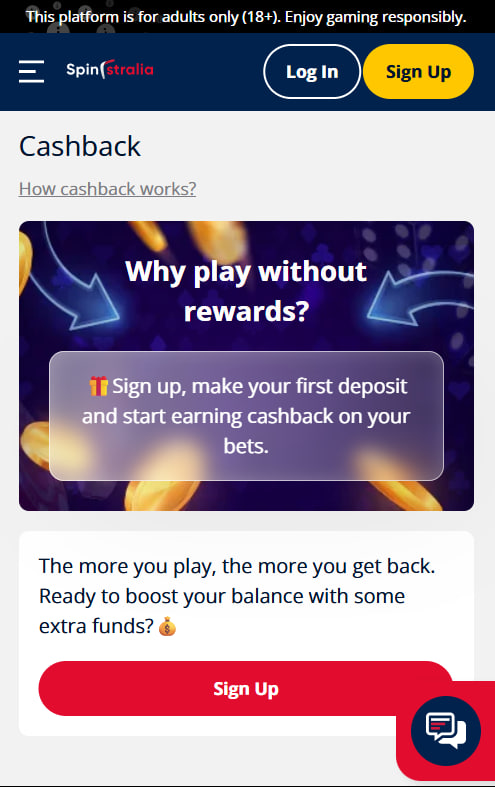
Every Spinstralia bonus works the same way on mobile as on desktop. New players can claim the 150% welcome match and 50 free spins on Wolf Gold straight from the phone — the cashier accepts the same A$25 minimum deposit and the same payment methods. Free spins land in the games lobby ready to play, and the in-account promo inbox tracks active offers, wagering progress and expiry dates. More on the full bonus structure on the bonus page.

Theodora Carmichael
Theodora Carmichael reports on Spinstralia Casino at spinnstralia.com, the 2023-launched Aussie-themed offshore brand (name fusing Spin and Australia) supporting AUD and NZD natively. Covers the 1,000+ pokies from 37 studios (Pragmatic Play / NetEnt / Microgaming / Play'n GO / Hacksaw / BGaming / Push Gaming / Quickspin / Playson / Booming Games / Aristocrat-style classics), four-deposit A$2,000 + 50 FS Wolf Gold welcome with NO promo codes (auto-credit), 40x wagering with A$5 max bet, 5% Monday cashback at NO wagering (cash equivalent!), weekend A$700/A$200 tournaments, points-based VIP, AUD/NZD banking with BTC/ETH support, Gamecheck third-party screening, HTML5 PWA mobile (iOS 14+/Android 9+) and BetStop offshore caveat.